Outlook E-mail Distribution Group Management
To maintain Distribution groups more efficiently and accurately, we are assigning ownership of groups. I have made each of you "owners" of your distribution lists.
AP - Andy
L10 Committeee - Irwin
L10 Design Practice Committee - Dan
Partners - Irwin
TCA-All - Gail
TCA-BDGroup - Tim
TCA-JC's-LA - Frank
TCA-JC's-Oak - Desiree
TCA-JC's-OC - Steve
TCA-PM's-LA - Frank
TCA-PM's-Oak - Desiree
TCA-PM's-OC - Steve
TCAReception - Lisa
TCASceduling - Dan
TCAStudioDirectors - Irwin
You can now maintain who is part of that group. Could you please follow these instructions and see if you are able to add/remove members of the distribution list? If successful go ahead and update your distribution list so that its current and accurate.
Launch Outlook
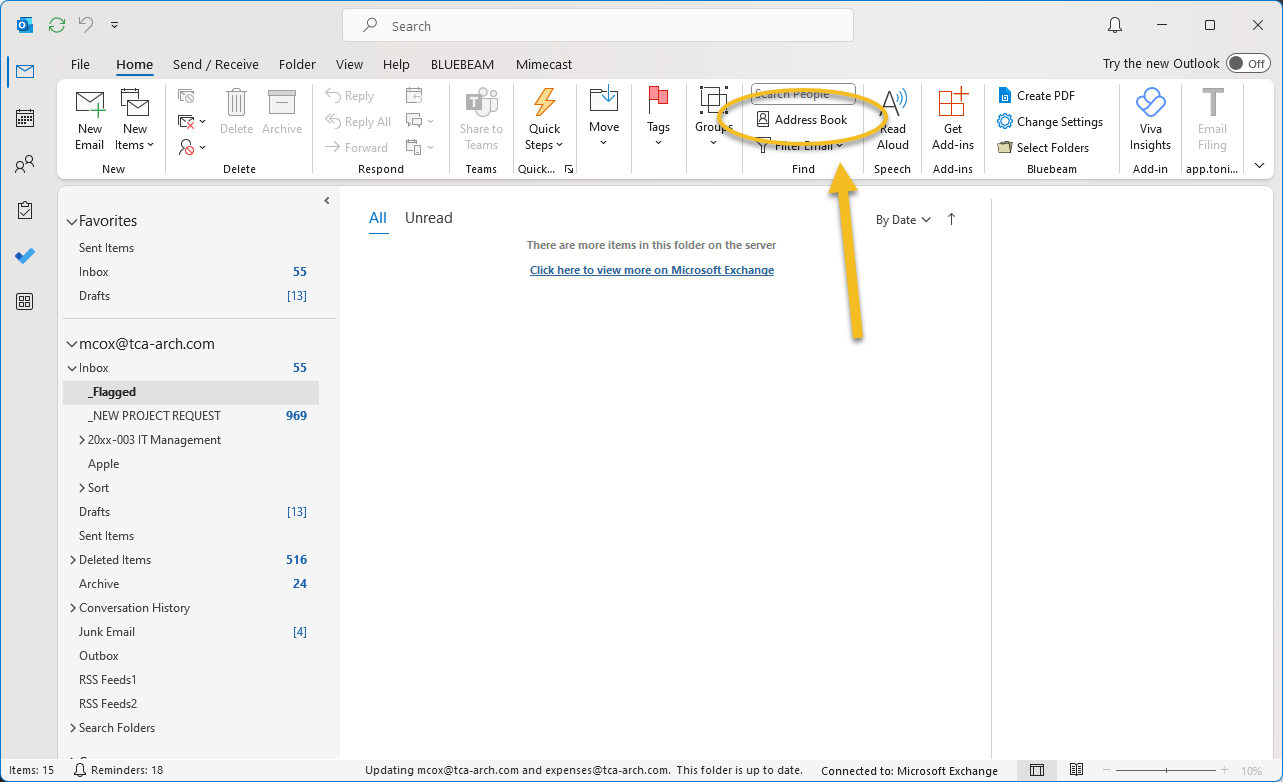
Find and click "Address Book" in the toolbar.
Find your distribution list you want to manage. (TCA-Design-OC, TCA-Design-LA, TCA-Design-OAK)
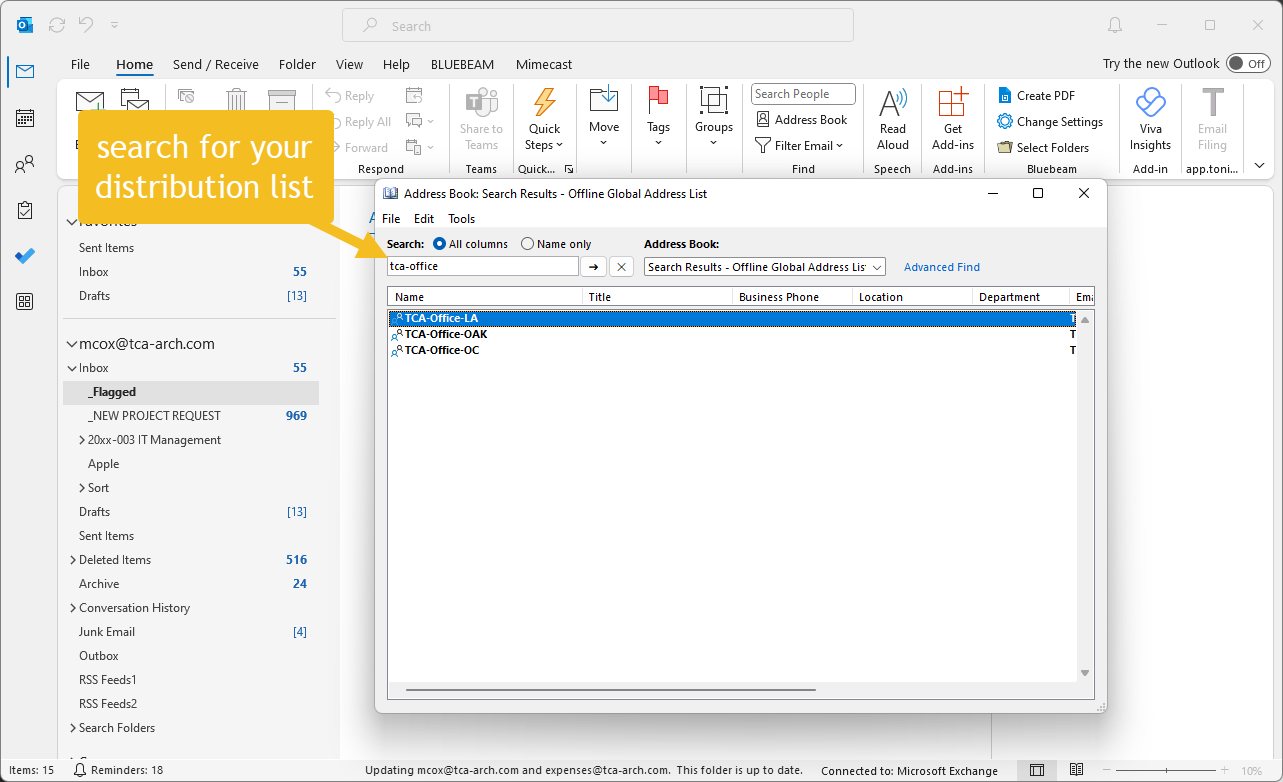
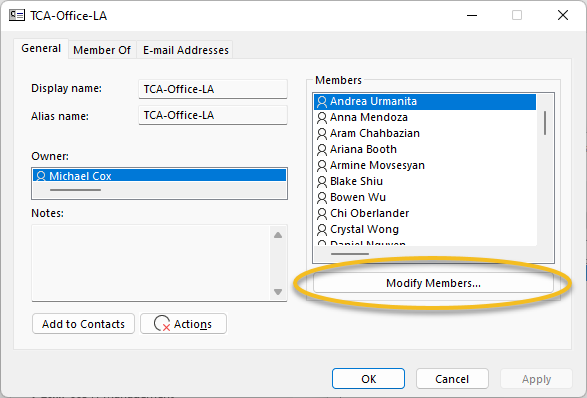
Double click the one you want to modify.
Now just hit "Modify Members"
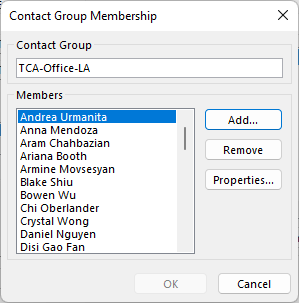
Add or Remove Distribution list members, then your done!